macOS 27.3 locks down full disk access, AI agents hit hardest
Apple splits Full Disk Access and System & App Protection Override permissions in macOS 27.3 beta 2, so users grant AI agents much less access.
Apple has started tightening how Mac apps get access to your data. In macOS 27.3 beta 2, released on 16 November 2026, one long-standing all-or-nothing permission is being split up and guarded more carefully. AI agents are the group of apps most affected, because they tend to request the broadest access to your computer.
1. What changes in macOS 27.3
The old "Device Control and Data Access" setting is split into two: System & App Protection Override and Accessibility. System & App Protection Override applies when one app wants to control another app, for example an AI agent that types and clicks for you. Accessibility stays reserved for assistive tools such as screen readers.
The way permissions are granted is also standardized: you pick the requesting app from a list. Apple also encourages you to grant access to just the specific apps or folders an app needs, rather than the whole system.
2. A warning before you approve
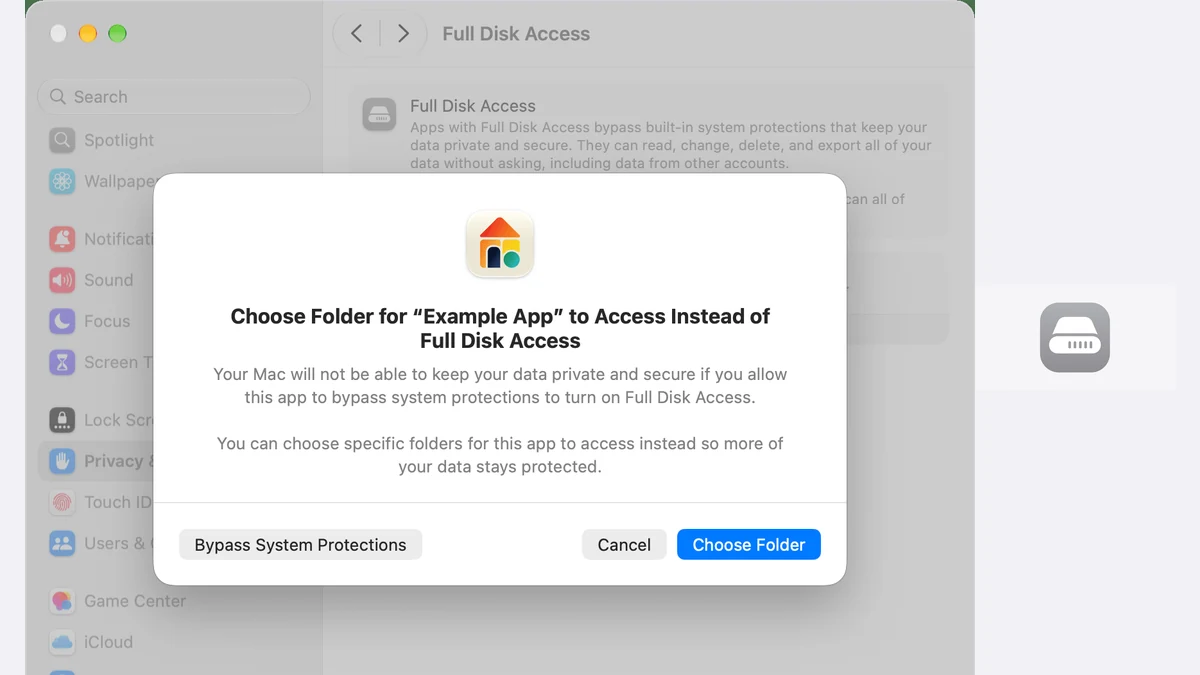
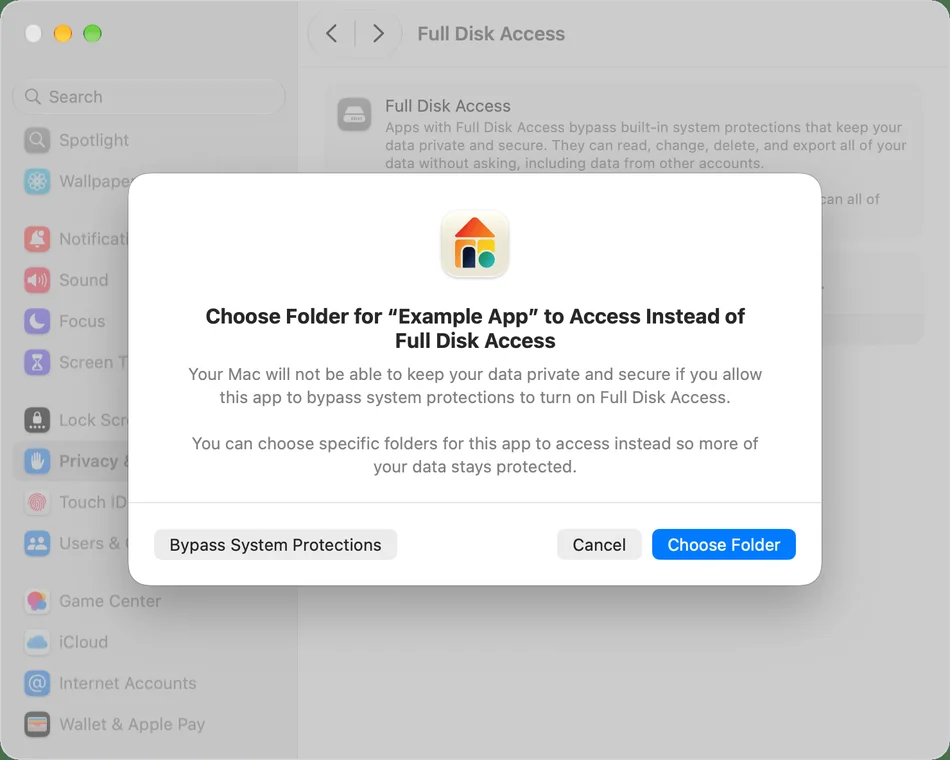
For Full Disk Access, Apple added a much firmer warning. After clicking "Bypass system protections", you must confirm the capabilities you are allowing one by one: reading, changing, deleting, and exporting your data. Apple's warning message says your Mac will not be able to keep your data private and secure if you let an app bypass system protections.
Apple is also adding a transparency indicator in the menu bar. When an app controls another app through System & App Protection Override, an icon appears so you know automation is running in the background.
3. Why AI agents are the main target
This step extends Apple's warning from 2 October 2026. At that point, Apple said some developers were using Full Disk Access in ways that put users at risk: files, mail, messages, and browsing history all get exposed.
The problem has become more pressing as AI agents increasingly request full access so they can complete work for you. Media reports have also flagged Meta's Muse agent, which reportedly read iMessages without clear permission to make suggestions. Apple did not name any specific app, but it cited increasingly capable and autonomous AI agents as the reason this risk "will grow substantially".
4. The "ask first" option, every time
Besides picking specific apps, you can set an app to ask for permission every time it wants to control another app. This replaces the old behavior, which had only two states: always allow or never allow.
For everyday users, this means an AI agent can be allowed to read just your Documents folder, not the whole disk. If it wants to touch Mail or Messages, the permission dialog appears again and you decide each time.
5. Existing permissions stay, here is how to check
Apple says all permissions granted before macOS 27.3 remain in effect. The upside: the update does not force you to set everything up again. The downside: an AI agent you approved last month still has full access today.
So this is a step you need to take yourself. Open System Settings, go to Privacy & Security, and review the Full Disk Access and Accessibility lists. To narrow an app's access, you may need to remove it from the list and add it back with tighter choices.
What it means for you
macOS 27.3 is still in beta with no confirmed release date, but these changes will reach every Mac user once the stable version ships. The key point: old permissions are not revoked automatically.
- Review existing permissions. Open System Settings, Privacy & Security, and look at the Full Disk Access list. Remove apps you no longer use.
- Grant the smallest access. When an AI agent asks for new permissions, pick specific folders or apps instead of the full option.
- Use Ask First for sensitive work. Set automation apps to request permission each time they control another app.
- Watch the menu bar. The new indicator shows when an app is controlling another app behind your back.
- Never grant full access just because. If a tool requests Full Disk Access for a simple task, look for another way first.
Sources
- Updates to Device Control and Data Access, and Full Disk Access in macOS (Apple Developer)
- Updates to Full Disk Access in macOS (Apple Developer)
- Grant Full Disk Access to a protected folder (Apple Support)
- macOS 27.3 Warns Against Giving AI Apps Full Mac Control (MacRumors)
- Apple Tightens Mac Privacy Controls, but AI Agents May Keep Existing Access (TechRepublic)