
Claude Opus 5.5 is now the default model on all paid Claude plans
Anthropic has made Claude Opus 5.5 the default on Pro, Max, Ultra and Team plans, along with a new official guide on how to use it for everyday work.
Anthropic has flipped a switch on Claude. This week, Claude Opus 5.5 became the default model on Pro, Max, Ultra and Team plans. Alongside the change, Anthropic published an official guide teaching subscribers how to get the most out of the model.
For anyone paying for Claude, this means the most capable model in the Opus family is now what you get without changing any settings. A small change in configuration, but it reshapes how a lot of daily work gets done.
1. What changed
Previously, many subscribers picked Sonnet for daily work and saved Opus for heavy analysis. Anthropic now recommends the reverse: use Opus 5.5 as your daily driver for research, analysis, and writing memos, reports, spreadsheets and decks.
The reasoning: a more capable model can often finish a task in fewer steps. According to Anthropic, that lower cost per task can offset the higher price per token. Opus 5.5 itself launched on 22 September 2026, so the model is not new, only its position as the default is.
2. Pricing and usage limits
Opus 5.5 API pricing is $4 per million input tokens and $20 per million output tokens, 20% below Opus 5 at the token level. At default settings, Anthropic says running it costs 40% less than Opus 5 overall.
For comparison, current token prices are: Haiku 5.5 at $0.10/$0.50, Sonnet 5.5 at $2/$10, Opus 5.5 at $4/$20, and Fable 5.2 at $8/$40 per million input/output tokens. Note that on subscription plans like Pro and Max, pricier models draw down your usage limits faster.
3. The official guide: drop "think hard"
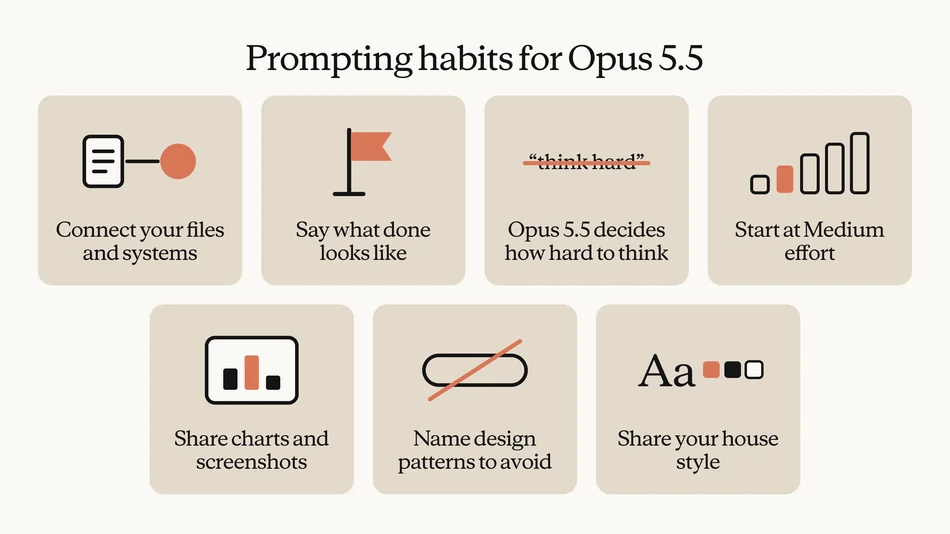
The new Anthropic guide includes one suggestion that surprises some users: delete phrases like "think hard" or "think carefully" from prompts. Thinking is always on for Opus 5.5, and the model itself decides how much to think based on your request.
Anthropic also recommends starting at Medium effort. According to the company, Opus 5.5 at Medium matched or beat Opus 5 at High on their coding and knowledge-work evaluations. Move up to High only when Medium stalls.
4. The prompting habits Anthropic recommends
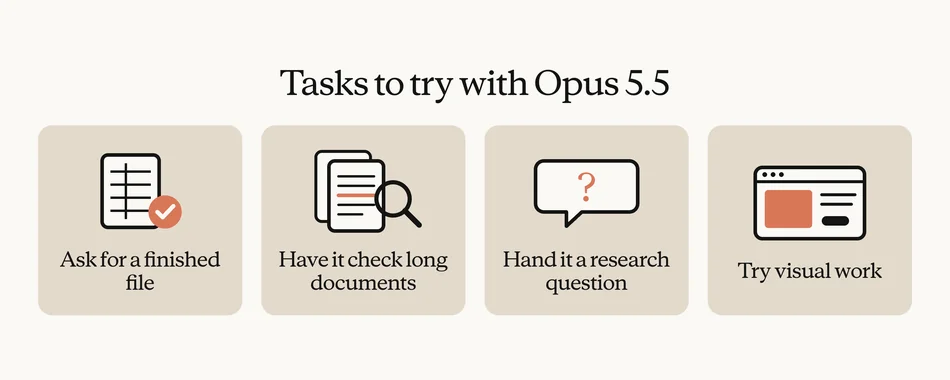
The guide shares a few specific habits. Say what "done" looks like in your first message instead of giving instructions one at a time. For documents and spreadsheets, ask for the finished file rather than an outline to build from.
Anthropic also encourages handing Opus 5.5 long documents to review. The example given: find mistakes and inconsistencies in a long report or deck, such as a chart that does not match its source data. For research questions, let the model pull sources together, work through long documents, and write up a memo on its own.
5. When not to use Opus 5.5
The guide still keeps Haiku 5.5 for quick lookups and high-volume work like short summaries. Sonnet 5.5 remains the pick for narrowly scoped tasks with a clear brief, such as turning finished notes into a polished document.
One interesting warning: if you find yourself pushing Sonnet to higher effort because results fall short, its cost per task approaches Opus 5.5. At that point, Anthropic says just switch to Opus. For the heaviest projects, such as coding handed to teams of agents running for hours, Fable 5.2 remains the top option, and it sits outside Pro plan limits outside limited-time launch offers.
What it means for you
Paid subscribers do not need to do anything: the default has already changed. But a few habits make a real difference:
- Change how you prompt. Drop "think hard" and describe what the finished output should look like in your first message.
- Start at Medium effort. Move to High only when Medium stalls, not by default.
- Use Opus 5.5 for document review. Errors like charts that do not match source data are exactly what it is built to catch.
- Keep Haiku for small jobs. Short summaries and quick lookups do not need the most capable model, and they conserve your limits.
- Mind your subscription limits. Bigger models burn limits faster, so match the model to the size of the task.
Sources
- Using Claude Opus 5.5 as your daily driver for knowledge work (Anthropic)
- Introducing Claude Opus 5.5 (Anthropic)
- Claude Opus 5.5 overview (Claude Platform Docs)