ChatGPT now transcribes while you speak, 10-minute dictation limit removed
OpenAI launched Live Dictation on November 18, 2026, showing text as you talk with no 10-minute recording cap, on every plan including free accounts.
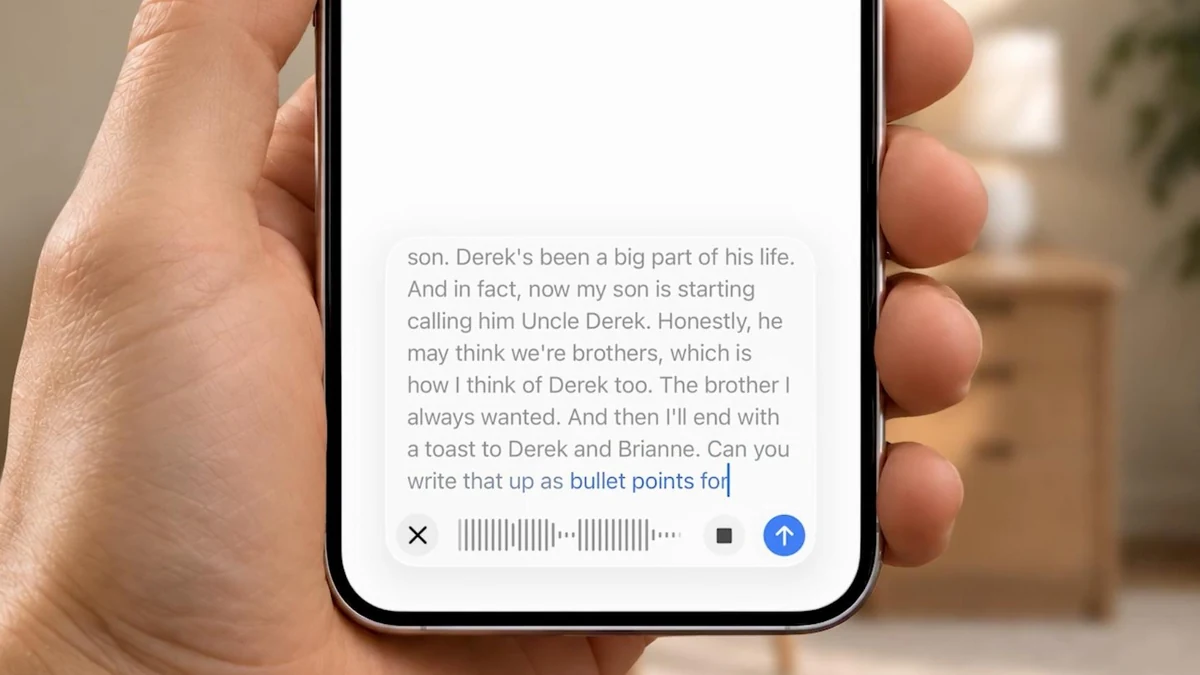
OpenAI has changed how dictation works in ChatGPT. The new Live Dictation feature started rolling out on November 18, 2026, and it breaks an old habit: until now, ChatGPT only converted your speech to text after you stopped recording. Now the words appear on screen while you are still talking.
OpenAI also removed the 10-minute recording limit that used to cap how long a voice prompt could run. Both changes apply to every ChatGPT plan, including free accounts, on iOS, Android, web and the desktop app.
1. What changed
With the old dictation, you recorded a voice message, stopped, and waited for the app to finish transcribing the audio. For long notes or dictated emails, that meant waiting without knowing whether the app had misheard something at the start.
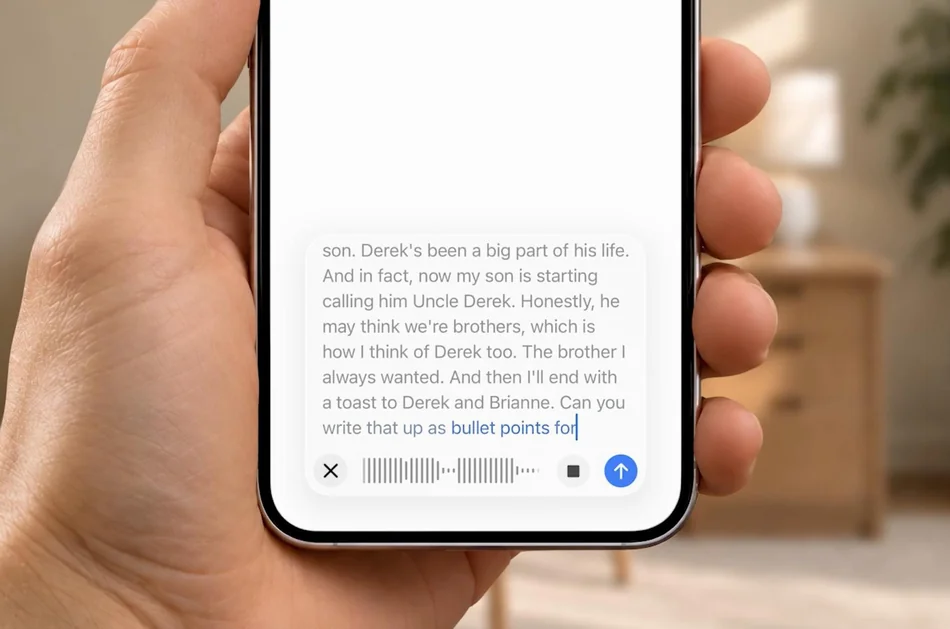
Live Dictation shows the text in real time. You can tap or click the audio waveform to show or hide the transcript while recording. When you stop speaking, the transcript lands in the message box and you can edit it before sending.
OpenAI says the feature is also faster and more reliable, but the company has not published any specific performance numbers, so that claim cannot be verified with measurements yet.
2. How to start using it
The feature lives behind the microphone icon in the message box, not the two-way voice mode. Tap the microphone, start talking, and the text appears as you speak. It suits long email drafts, meeting notes, or multi-step instructions that previously had to be split into several short recordings because of the 10-minute cap.
The rollout is gradual. Notebookcheck reports that some users have not seen the feature in their accounts yet, so if your microphone icon still behaves the old way, the update has not reached you.
3. How it differs from voice mode and Record
Live Dictation is not the two-way voice mode where you chat out loud with ChatGPT and it answers. That mode got its own overhaul earlier in 2026 and stays separate. Dictation only turns your speech into text to send as a message.
ChatGPT Record, the feature for transcribing voice notes and meetings, is also still in beta and limited to eligible Plus, Pro, Business, Enterprise and Edu workspaces. Live Dictation is different because it is open to every plan with no workspace requirement.
4. What happens to your recordings
According to OpenAI's official dictation FAQ, dictation audio is kept for as long as the conversation stays in your chat history. If you delete the conversation, the audio clip is deleted within 30 days, except for clips kept for security or legal reasons.
Model training only happens if you actively turned on audio sharing. The FAQ states, "If you are a consumer user and have chosen to share audio to improve our models, we may train on audio from dictation." Business accounts are excluded by default.
The text transcript is different. It is sent as a normal message, so the "Improve the model for everyone" setting applies to it. For personal Free, Plus and Pro accounts, data sharing is on by default. If you do not want your dictated text in training data, open Settings, go to Data controls, and turn off "Improve the model for everyone" or the "Include your audio recordings" toggle.
5. When it reaches your account
OpenAI says the rollout covers all ChatGPT plans globally, but it has not given a completion date for every account. Users who have not received the feature need to wait for their rollout wave, and there is no early access list or way to speed it up.
The feature lands at a moment when ChatGPT is adding many ways to put things in: the same week, OpenAI added an Accounting plugin for reconciliation workflows, and launched Space, a shared workspace for Plus plans, on November 20. For a full list of AI tools you can use today, see AI Tools.
What it means for you
The change looks small from the outside, but it removes two real obstacles for anyone who prefers talking over typing.
- No more splitting recordings. Notes or drafts longer than 10 minutes can now be dictated in one go.
- Edit while you speak. The live text lets you catch misheard words early, not after you stop.
- Free accounts get it too. This is not a paid-tier exclusive, so you can try it without a subscription.
- Check your data settings. If you dictate a lot, open Settings, Data controls, and decide whether your audio and text can be used for training.
- Do not confuse it with voice mode. The microphone icon for dictation and the two-way voice mode are two different things.
Sources
- ChatGPT release notes (OpenAI)
- ChatGPT can transcribe as you speak now with Live Dictation (The Verge)
- Voice Dictation, FAQ (OpenAI)
- ChatGPT Live Dictation removes the 10-minute limit for all plans (Notebookcheck)
- ChatGPT Can Now Turn Your Speech Into Text Instantly (ProPakistani)